Building a Client Portal That Your Customers Will Actually Use
Every service business eventually has the same realization: we spend too much time answering questions our clients could answer themselves. Where is my order? What is the status of my project? Can you resend that invoice? Did you receive my document? These questions are reasonable, but when your team answers the same 15 questions 50 times a week, it adds up to a full-time salary spent on status updates.
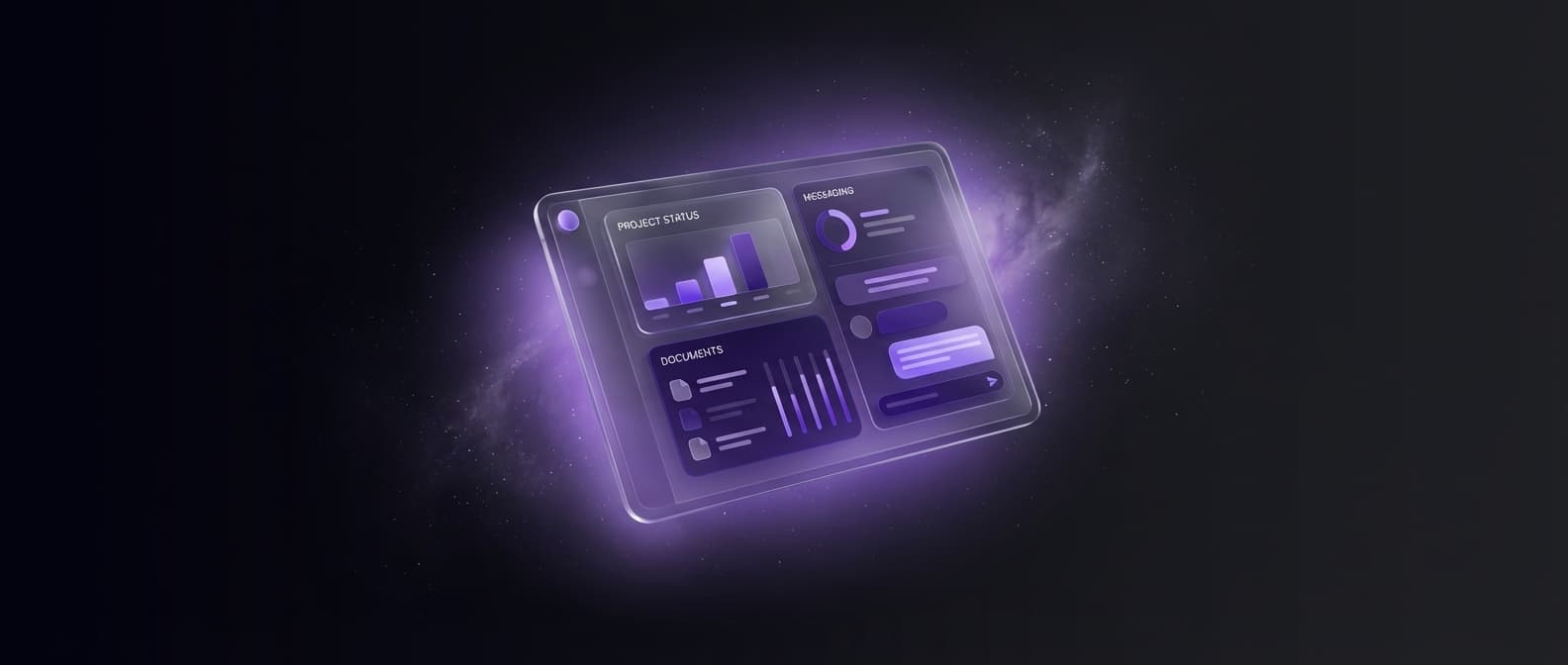
The obvious solution is a client portal - a dedicated space where customers log in and find everything they need. The less obvious part is building one that clients actually use. We have seen dozens of portals fail, not because the technology was wrong, but because the design ignored how real people behave. A 2024 Forrester study found that 62% of custom client portals see less than 30% adoption within the first year. The remaining 38% share specific patterns that we will break down here.
Why Most Client Portals Fail
The failure pattern is predictable. A company builds a portal with every feature they can think of. The portal launches with a big announcement email. A few clients log in, poke around, and never come back. Within three months, the team is back to sending status updates via email. The portal becomes an expensive login page.
- Too many features at launch - clients are overwhelmed and cannot find what they need
- No compelling reason to log in - if clients can get the same information faster by sending an email, they will
- Poor mobile experience - 58% of portal visits happen on phones, and most portals are desktop-first
- Stale data - if the portal shows outdated information even once, trust is broken permanently
- Complicated login process - every extra step between wanting information and seeing it costs you users
The Features That Actually Drive Adoption
After building portals for consulting firms, agencies, construction companies, and logistics providers, we have found that three features account for roughly 80% of all portal usage.
1. Real-Time Status Tracking
This is the single most used feature in every client portal we have built. People want to know where things stand without asking someone. The key word is real-time. If your team updates the status once a day at 5 PM, clients will still email you at 2 PM asking for updates. The status needs to reflect reality within minutes, not hours. Connect it directly to your project management or order tracking system through an API - do not rely on manual updates.
2. Document Sharing and History
Contracts, invoices, proposals, deliverables, reports - every client relationship generates documents. A portal that stores all of these in one chronological timeline eliminates the 'can you resend that?' emails entirely. We recommend organizing documents by project or engagement, with clear labels and download buttons. Add email notifications when new documents are uploaded. This alone can reduce client support emails by 30-40%.
3. In-Portal Messaging
This one surprises people. Why would clients message through a portal when they have email? Because portal messages are contextual. They are attached to a specific project, order, or document. They create a searchable history that both sides can reference. And they keep business communication separate from the client's overflowing inbox. The trick is to also send email notifications for new messages so clients do not have to remember to check the portal.
UX Principles for Non-Technical Users
Your clients are not software engineers. Many of them are not particularly comfortable with technology. Every design decision should optimize for clarity over cleverness.
- Use magic links or social login instead of passwords - password resets are the number one reason people abandon portals
- Put the most-used action on the first screen they see after login - do not make them search for it
- Use plain language everywhere - 'Your Projects' not 'Dashboard', 'Send Message' not 'Create Communication'
- Show empty states with instructions - a blank page with no guidance is the fastest way to lose a first-time user
- Make every notification actionable - every email should link directly to the relevant portal page, not the homepage
Integration With Your Existing Systems
A client portal is only as good as the data behind it. If your team manages projects in Asana, sends invoices through QuickBooks, and stores files in Google Drive, the portal needs to pull from all of these sources. Building a portal as an isolated system that requires manual data entry defeats the entire purpose.
The most common integrations we build include connections to project management tools like Asana, Monday, or Jira for status data. Accounting software like QuickBooks or Xero for invoices and payment history. Cloud storage services for document access. CRM platforms like HubSpot or Salesforce for client contact information. And email services like SendGrid for transactional notifications.
Plan for these integrations from day one. Retrofitting API connections into a portal that was built as a standalone app is expensive and messy. We estimate that integration work accounts for 30-40% of total portal development time - and it is worth every hour because it is what keeps the data fresh and trustworthy.
Cost Ranges and Timeline
Client portal costs vary widely based on complexity. Here is what we typically see across the industry.
- Basic portal with status tracking and documents - $15,000 to $35,000, 6-10 weeks development
- Mid-range portal with messaging, integrations, and mobile optimization - $35,000 to $70,000, 10-16 weeks
- Full-featured portal with custom workflows, payment processing, and advanced reporting - $70,000 to $150,000, 16-28 weeks
Off-the-shelf portal platforms like Copilot, SuiteDash, or Clinked can work for basic needs at $50-$500/month. But they hit customization limits fast. If your workflow does not fit their templates, you will spend more time fighting the platform than building on it. For businesses where client experience is a competitive advantage, custom development pays for itself through higher retention and lower support costs.
Launch Strategy - How to Get Clients to Actually Log In
The launch is where most portals succeed or die. Do not send a mass email blast and hope for the best. Instead, use a phased rollout.
- Start with your 5-10 most engaged clients as beta users and collect feedback for two weeks
- Fix the friction points they identify before expanding
- Roll out to the next 20-30 clients with a personal onboarding call or screen recording walkthrough
- Only then send the company-wide announcement with a clear explanation of what the portal does and why it benefits them
- For the first 90 days, send portal links instead of attachments whenever a client asks for a document or status update
That last point is critical. Every time a client emails asking for something available in the portal, respond with a direct link to that exact page. Not a link to the login page - a deep link to the specific document or status. You are training a habit, and habits need repeated reinforcement.
Measuring Portal Success
Track three metrics to know if your portal is working. Monthly active users as a percentage of total clients - aim for 60% or higher within six months. Support email volume - this should drop measurably within 90 days. And average session duration - healthy portals see 2-4 minute sessions, which means clients are finding what they need quickly. If sessions are under 30 seconds, people are logging in and leaving. If sessions are over 10 minutes, the interface might be confusing.
A client portal is not a technology project - it is a client experience project. The technology is just the means. The goal is to make every client feel informed, empowered, and respected, without your team spending hours on manual updates. Get that right and the portal becomes the foundation of your client relationships.